RIFT IQ
The free League of Legends companion app. Summoner lookup, live game detection, Challenger leaderboards, post-game OP scores with MVP rankings, and deep match analytics — all in one lightweight desktop tool.
A better free alternative to Blitz, OP.GG & Porofessor. Auto-detects your League Client — zero config required.
EXE Installer · 3 MB · No admin required · MSI version
SEE IT IN ACTION
22 features. One app.
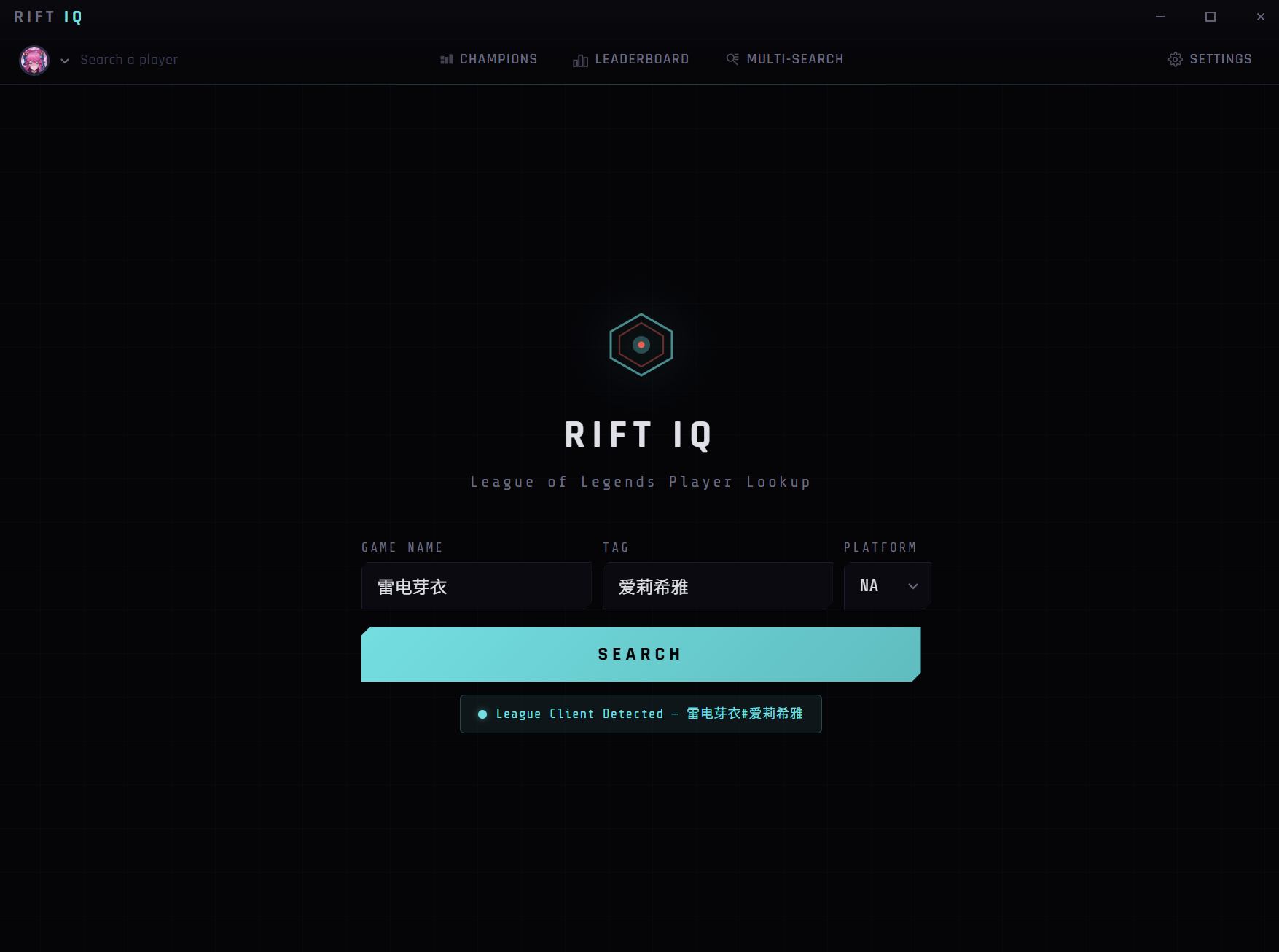
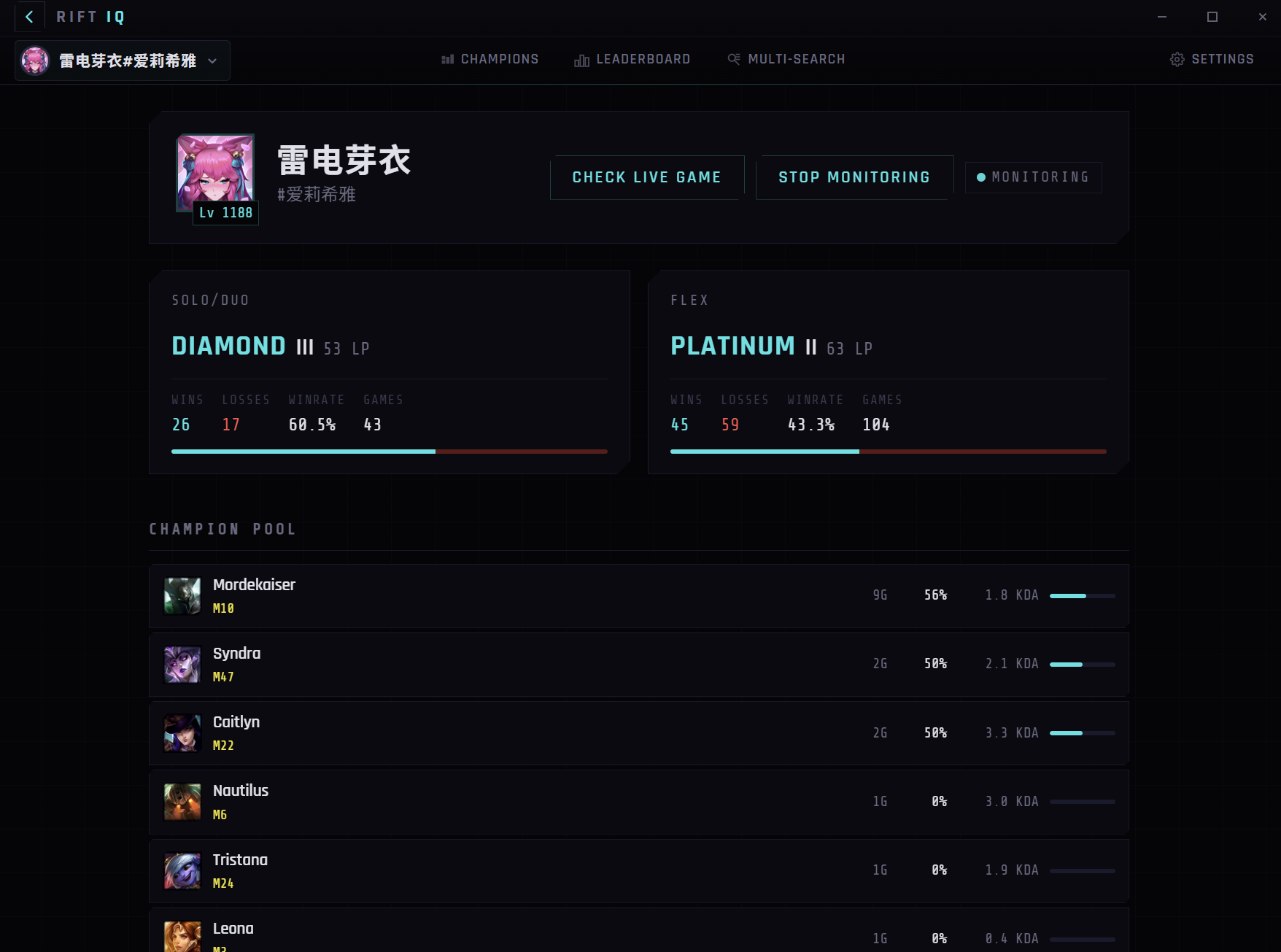
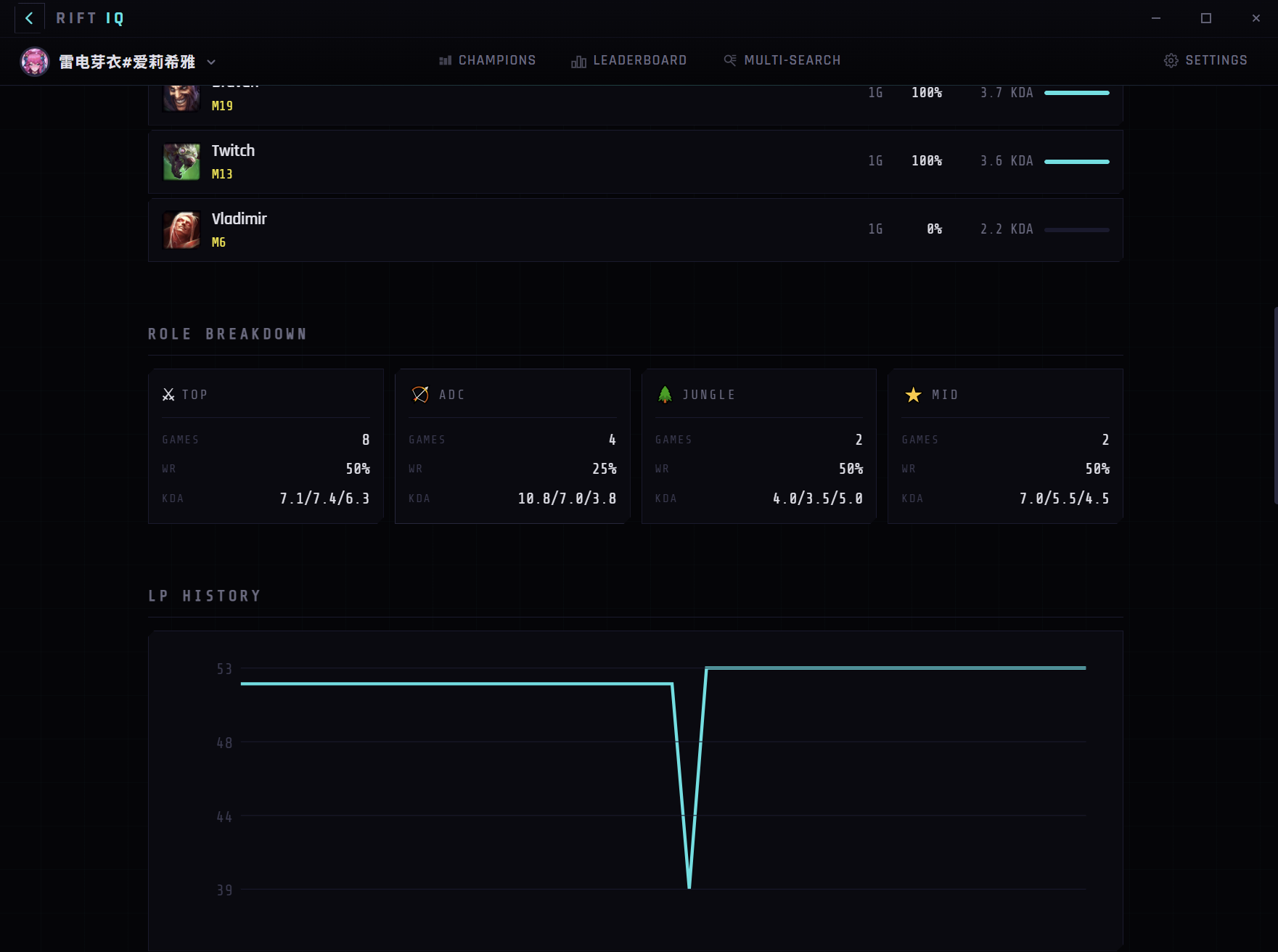
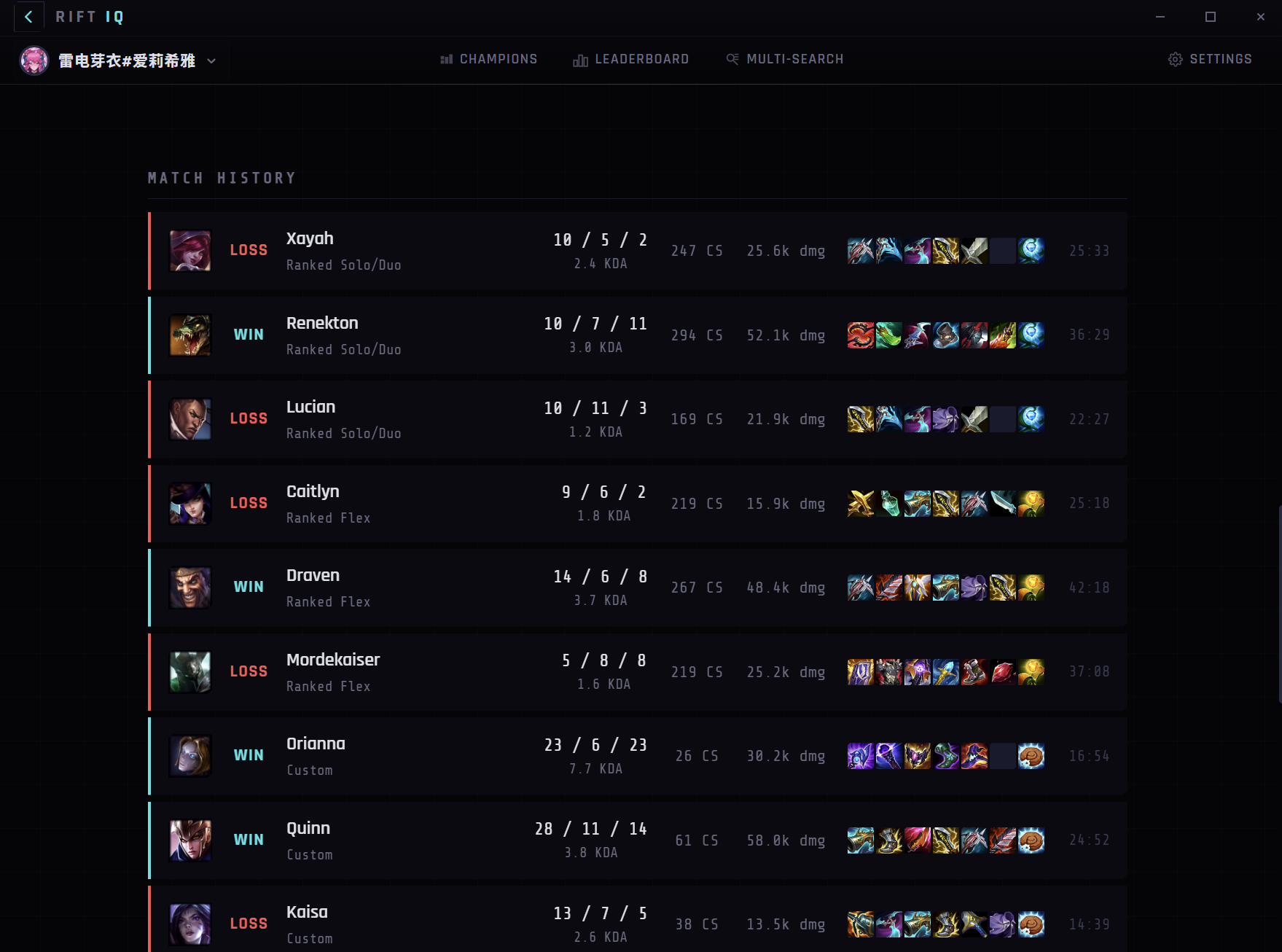
PLAYER SEARCH
Role-Adjusted OP Scores
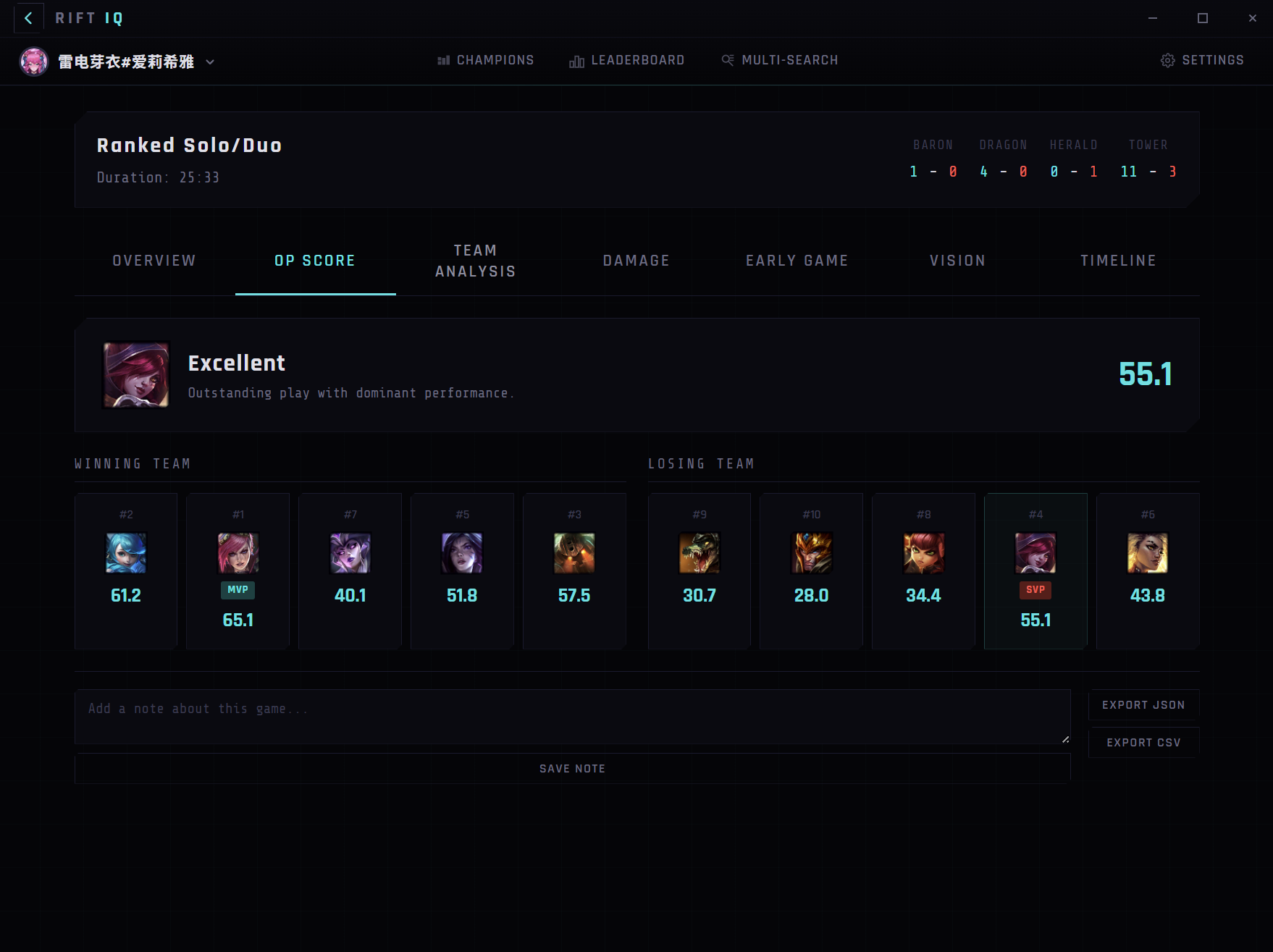
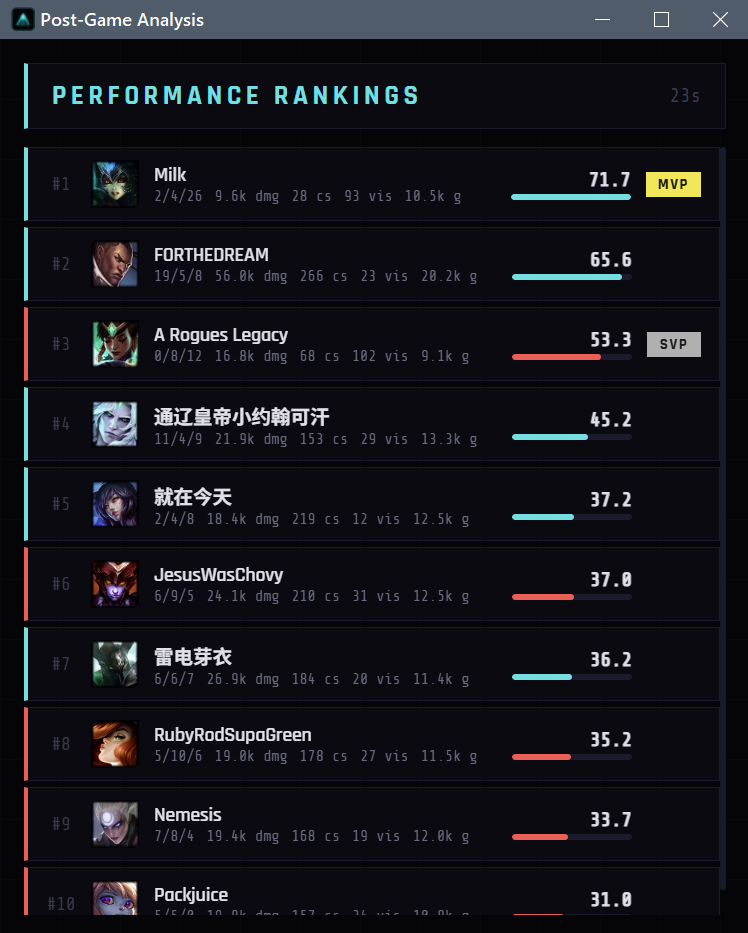
Every player gets a performance score weighted by their role. Supports aren't penalized for low CS, carries aren't judged on vision alone. See MVP and SVP badges, per-player rankings 1 through 10, and a clear verdict on how you played.
Deep Match Analytics
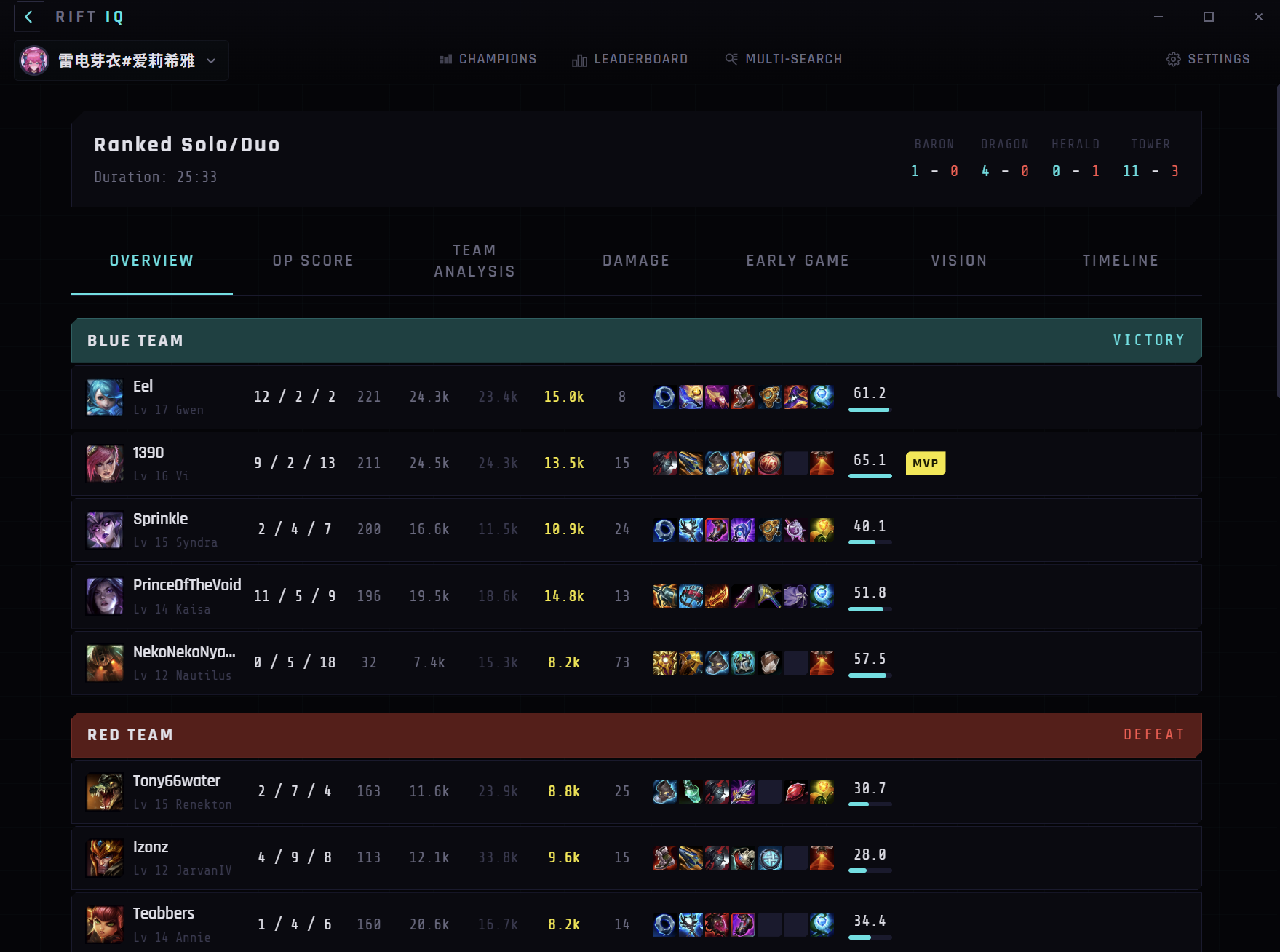
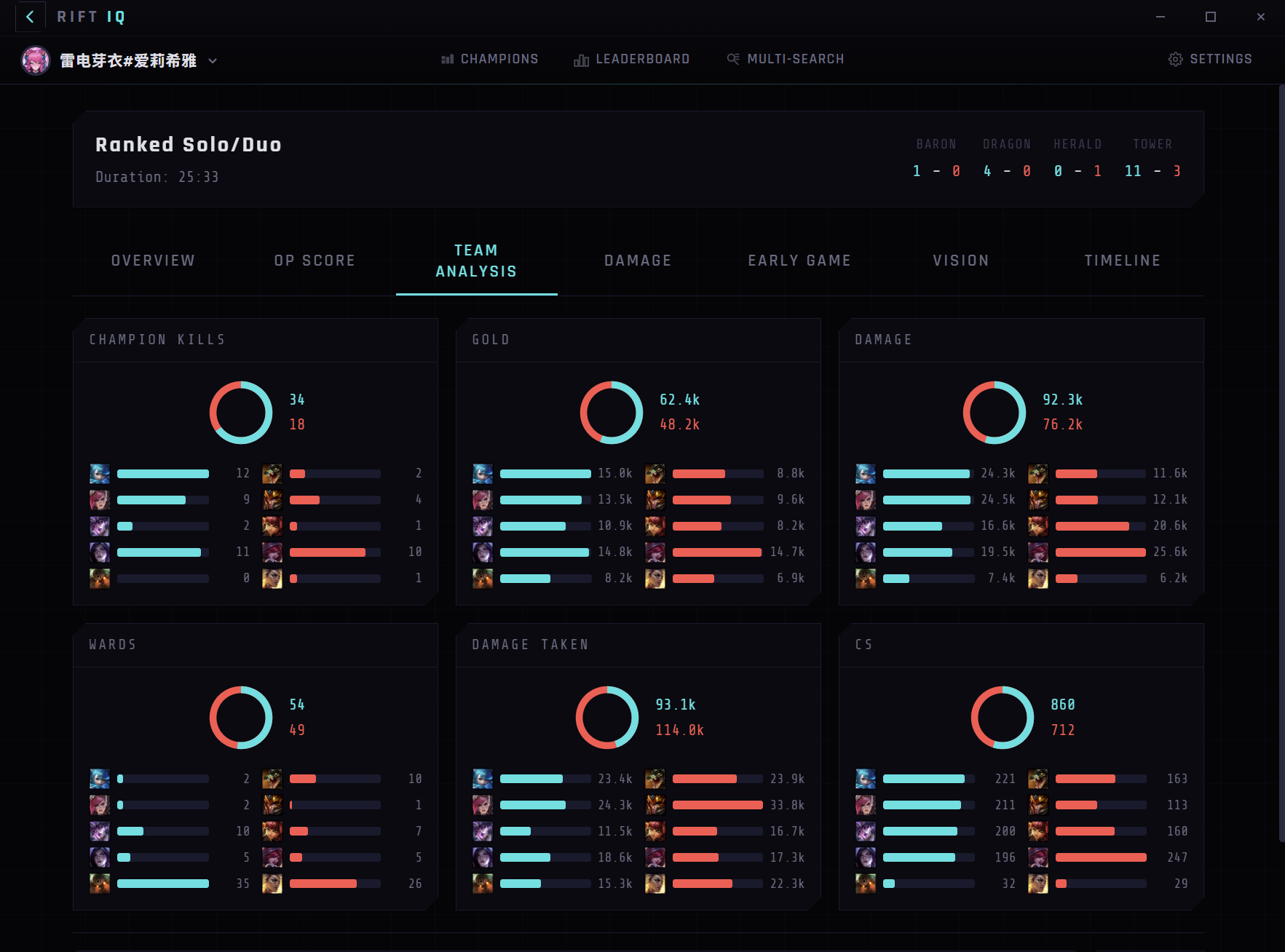
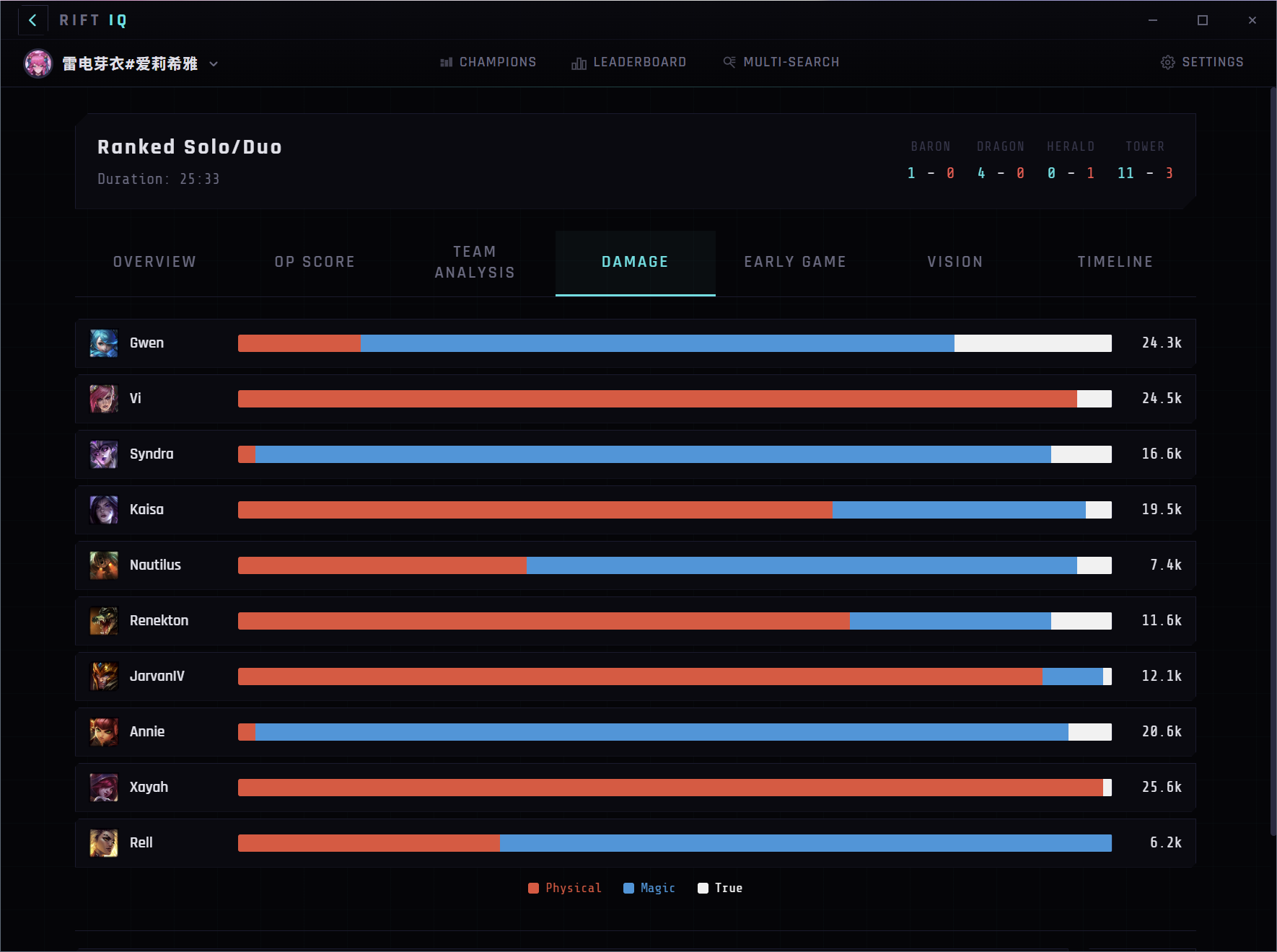
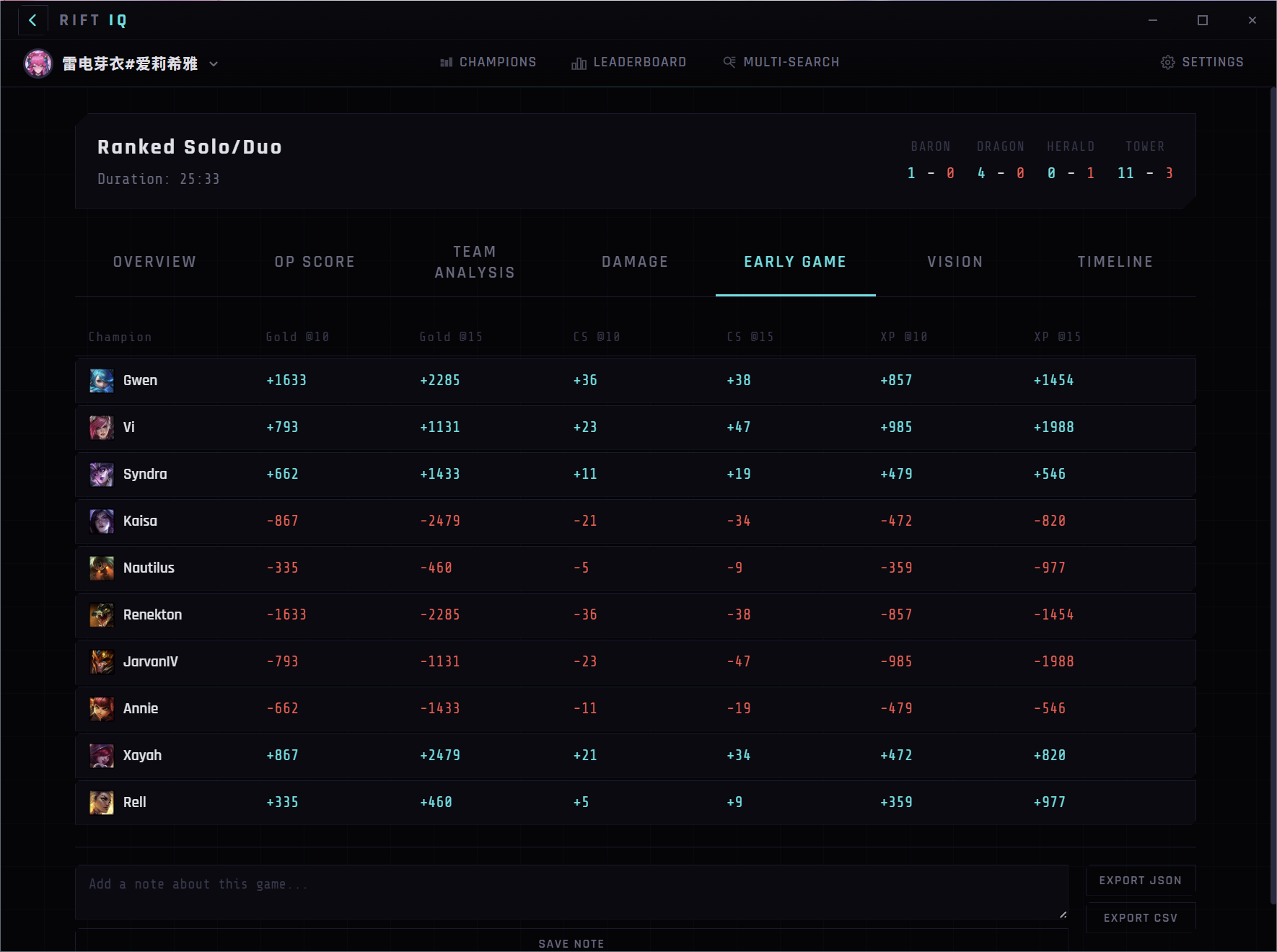
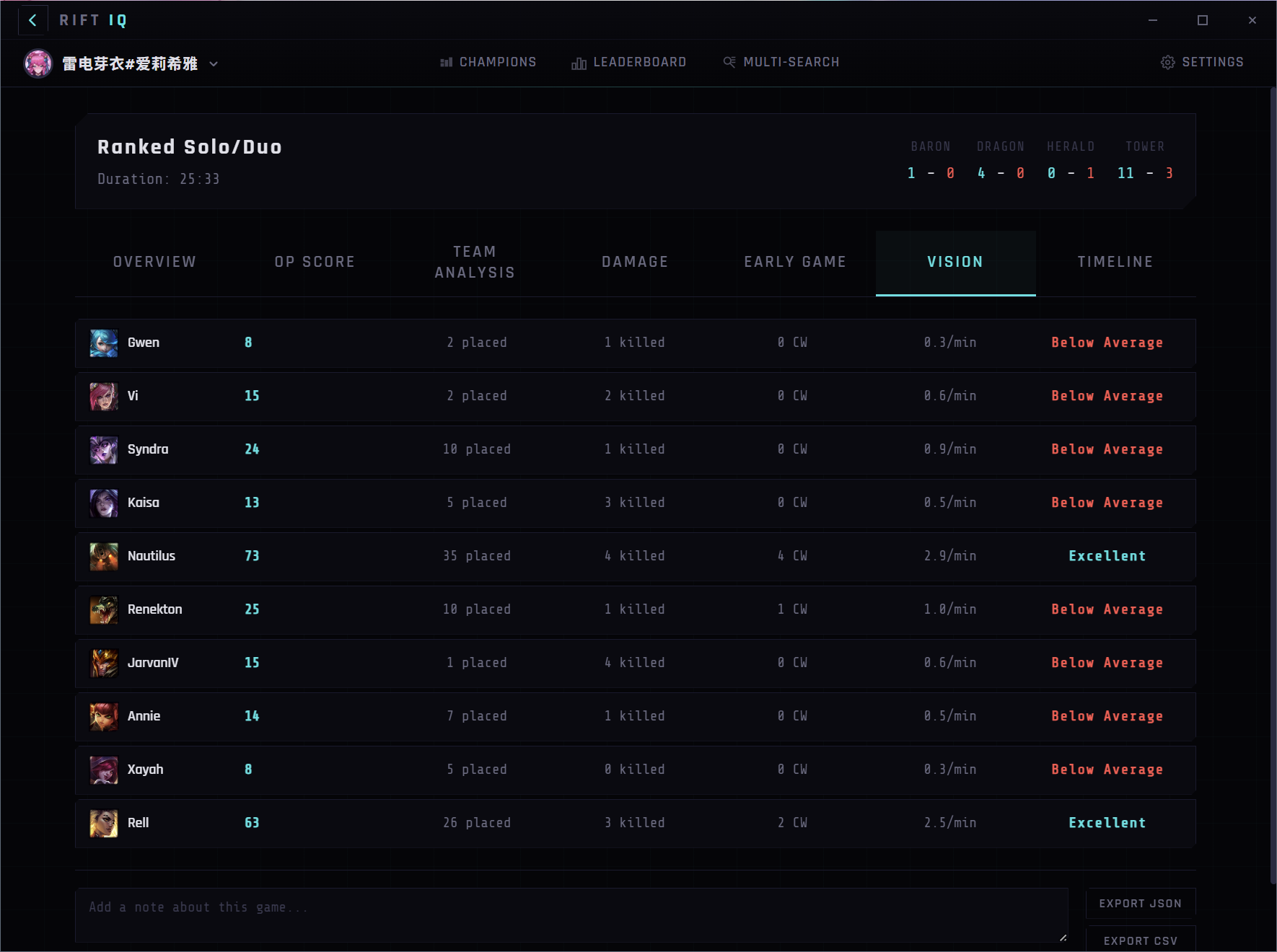
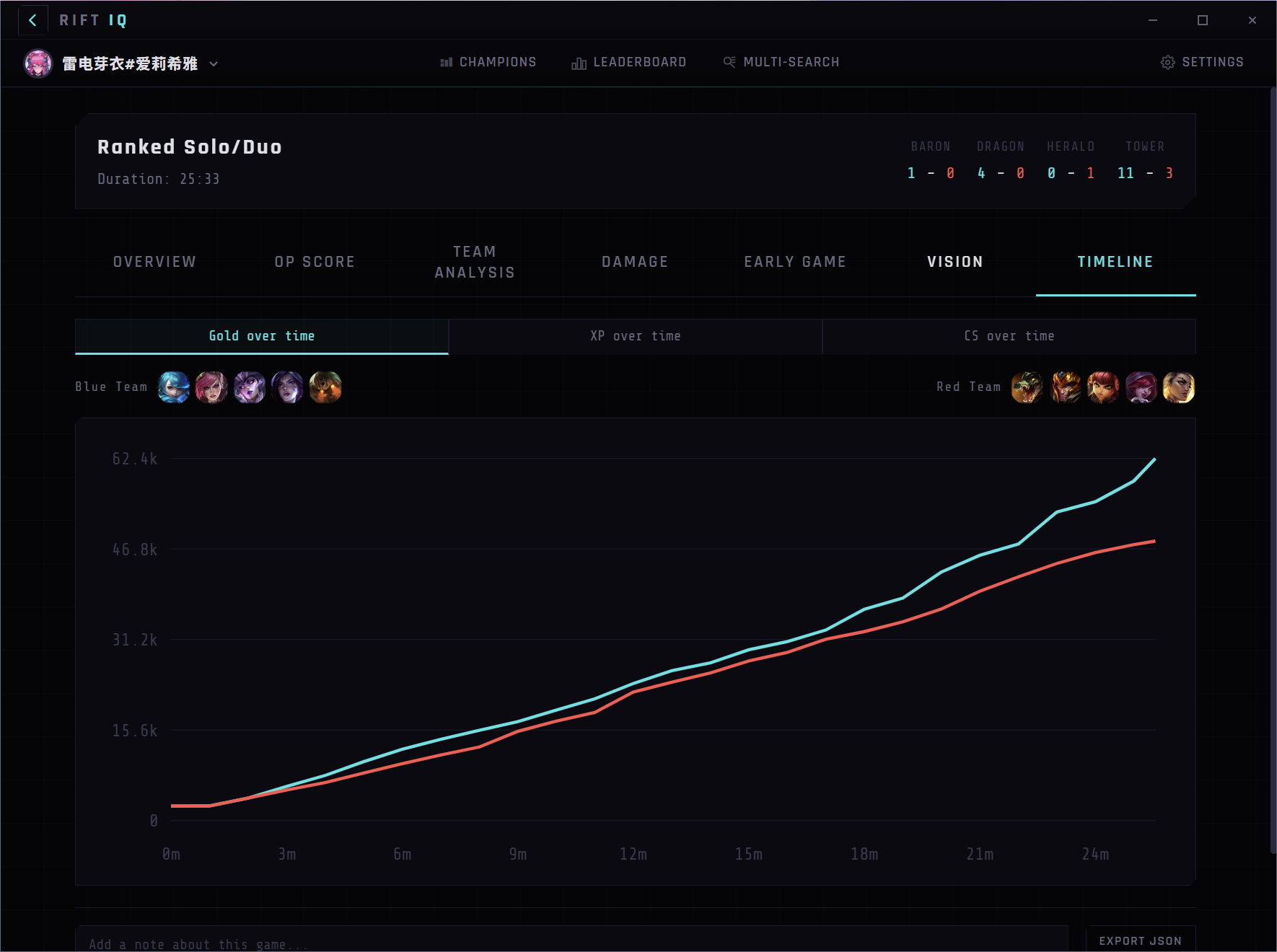
Go beyond the scoreboard. Seven analysis tabs break down every match: overview, OP scores, team comparison, damage distribution, early game differentials, vision control, and gold/XP timelines. Export any match as JSON or CSV.
Champion Insights
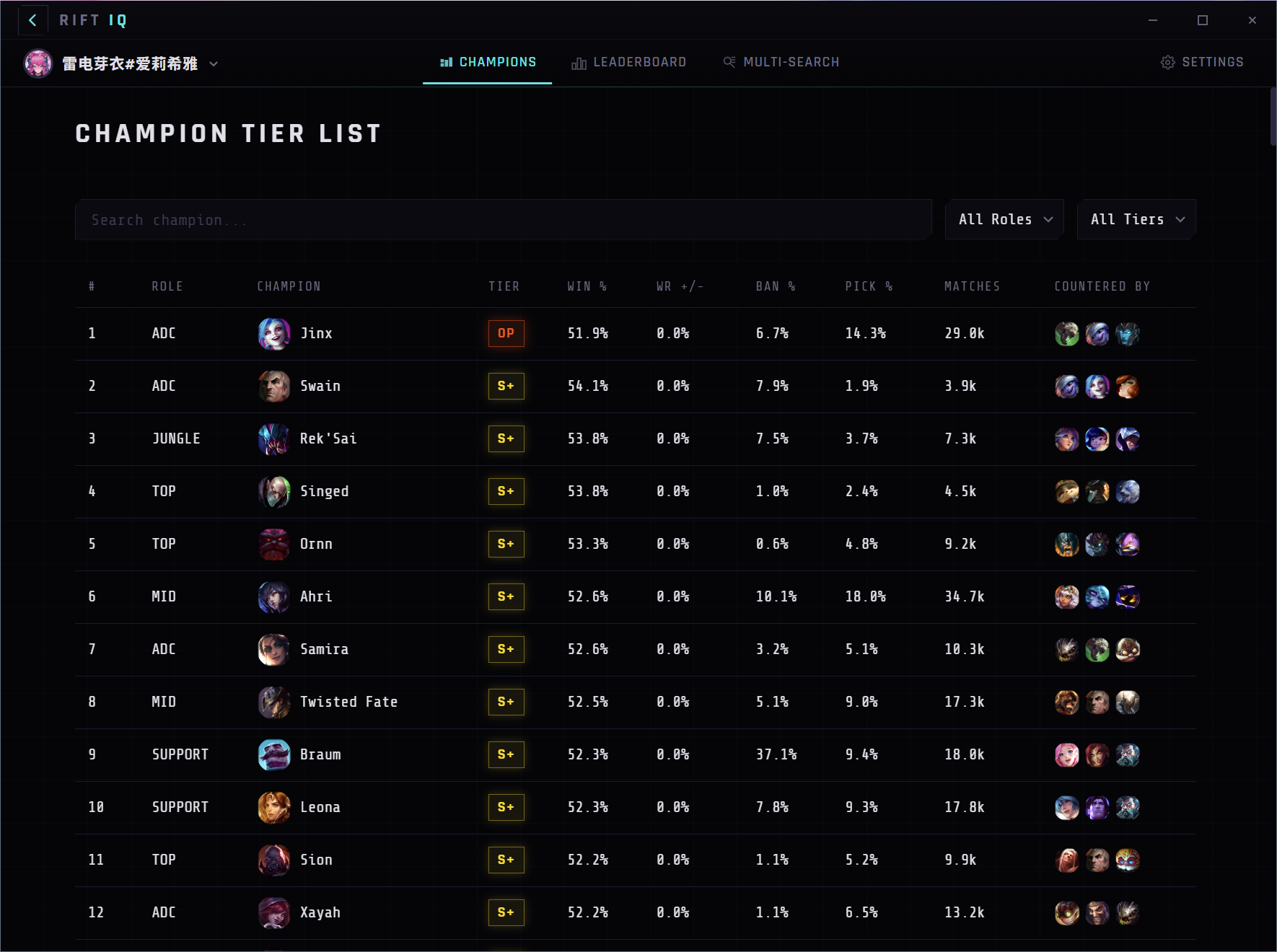
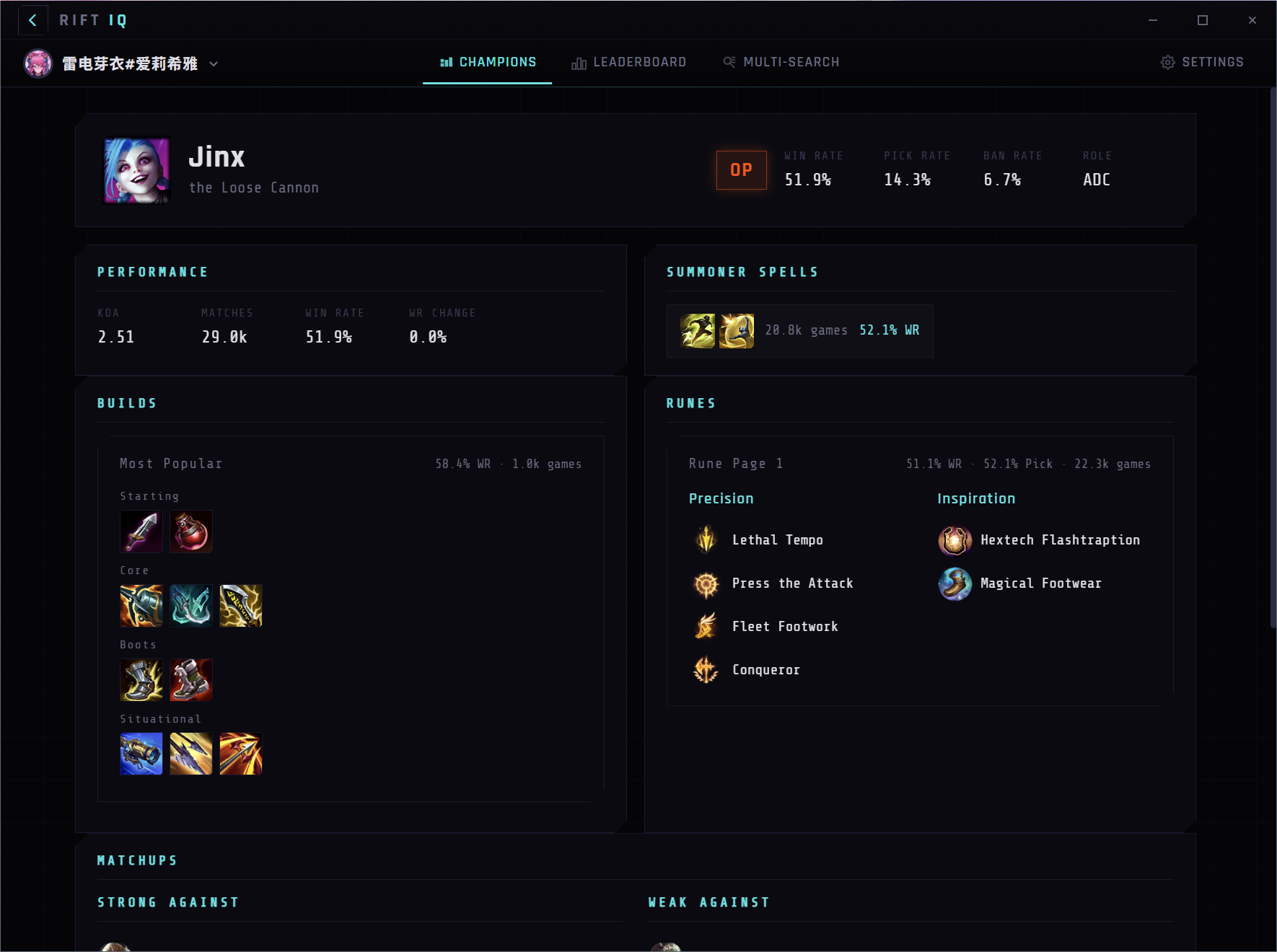
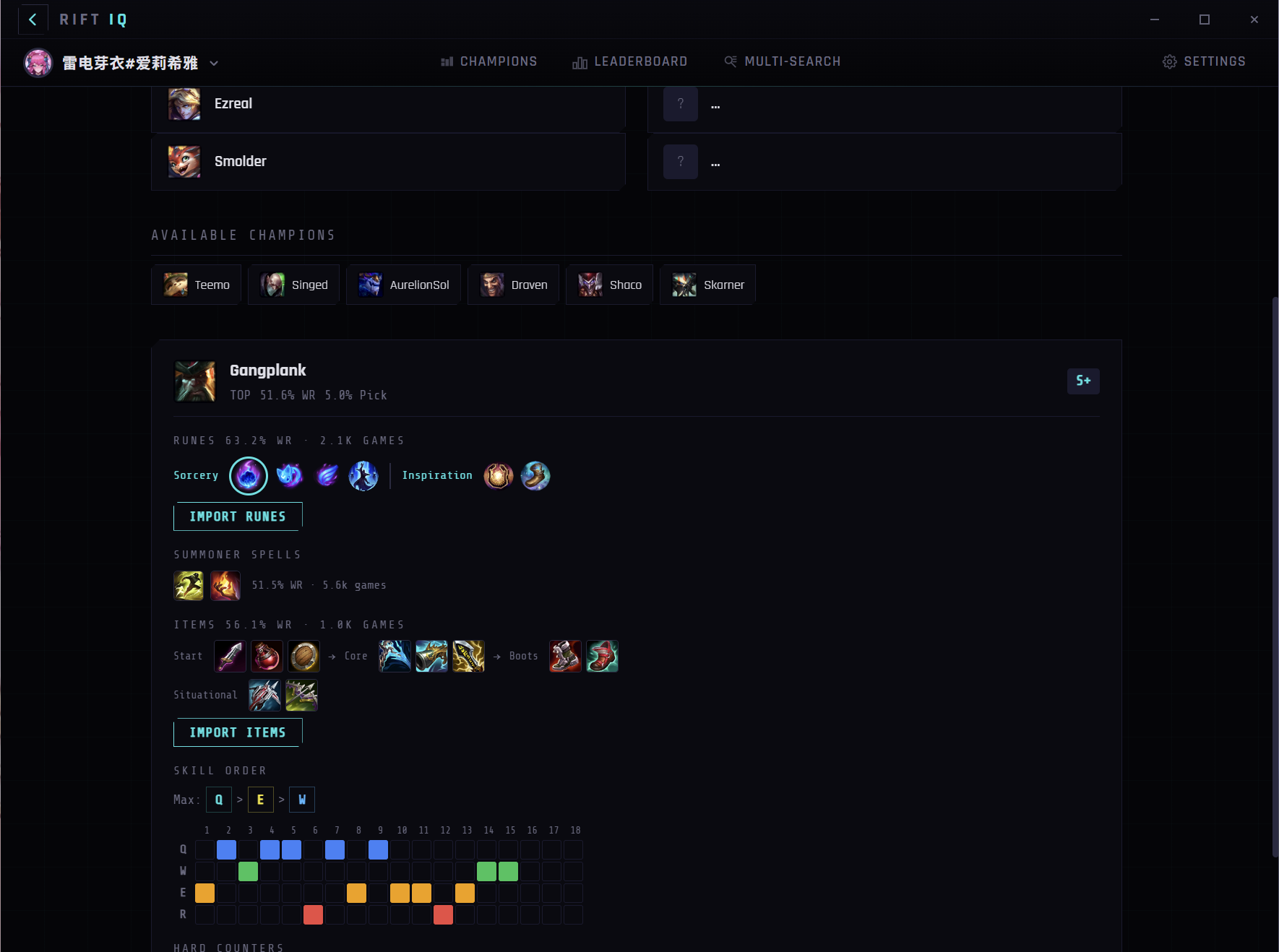
Dive into any champion's data with detailed build paths, rune setups, skill orders, and matchup win rates. See the highest win-rate builds at your rank and compare your performance to the average on every champion you play.
Live Champion Select
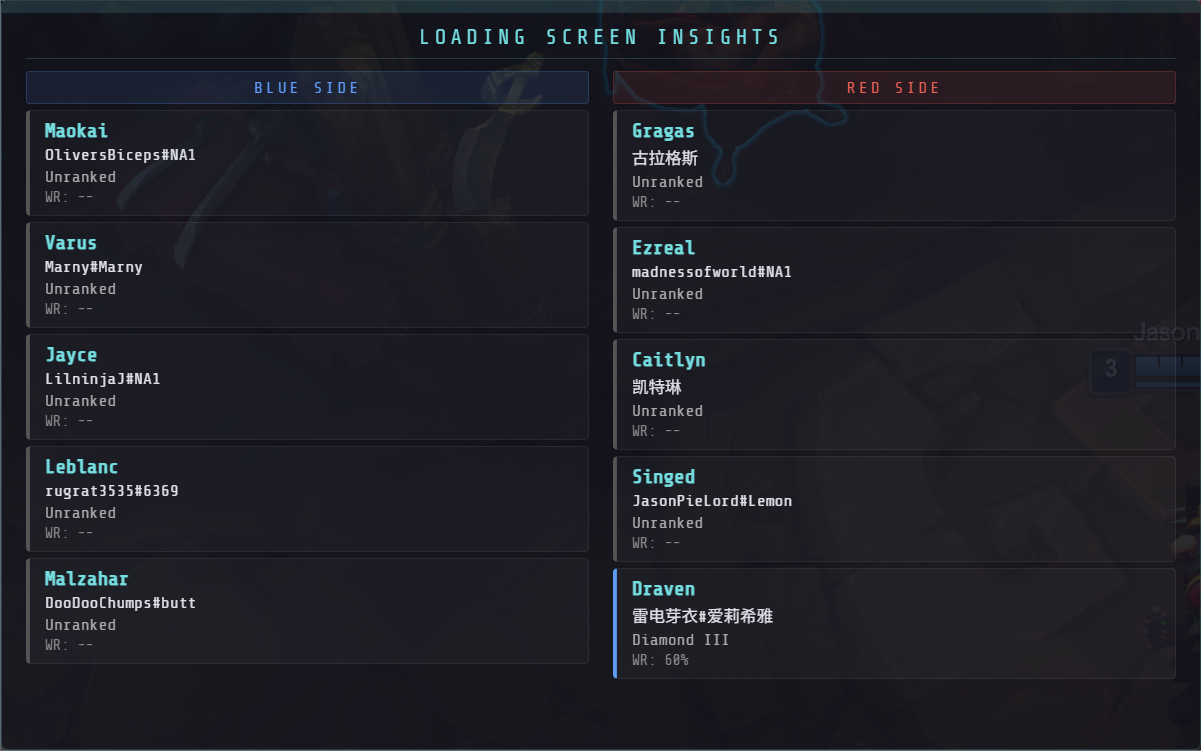
Rift IQ detects your League Client automatically and shows champion picks in real time. Import optimal runes and item builds with one click. Get pre-game analysis with loading screen insights for all 10 players.
// CAPABILITIES
BUILT FOR COMPETITIVE PLAYERS
Leaderboard Rankings
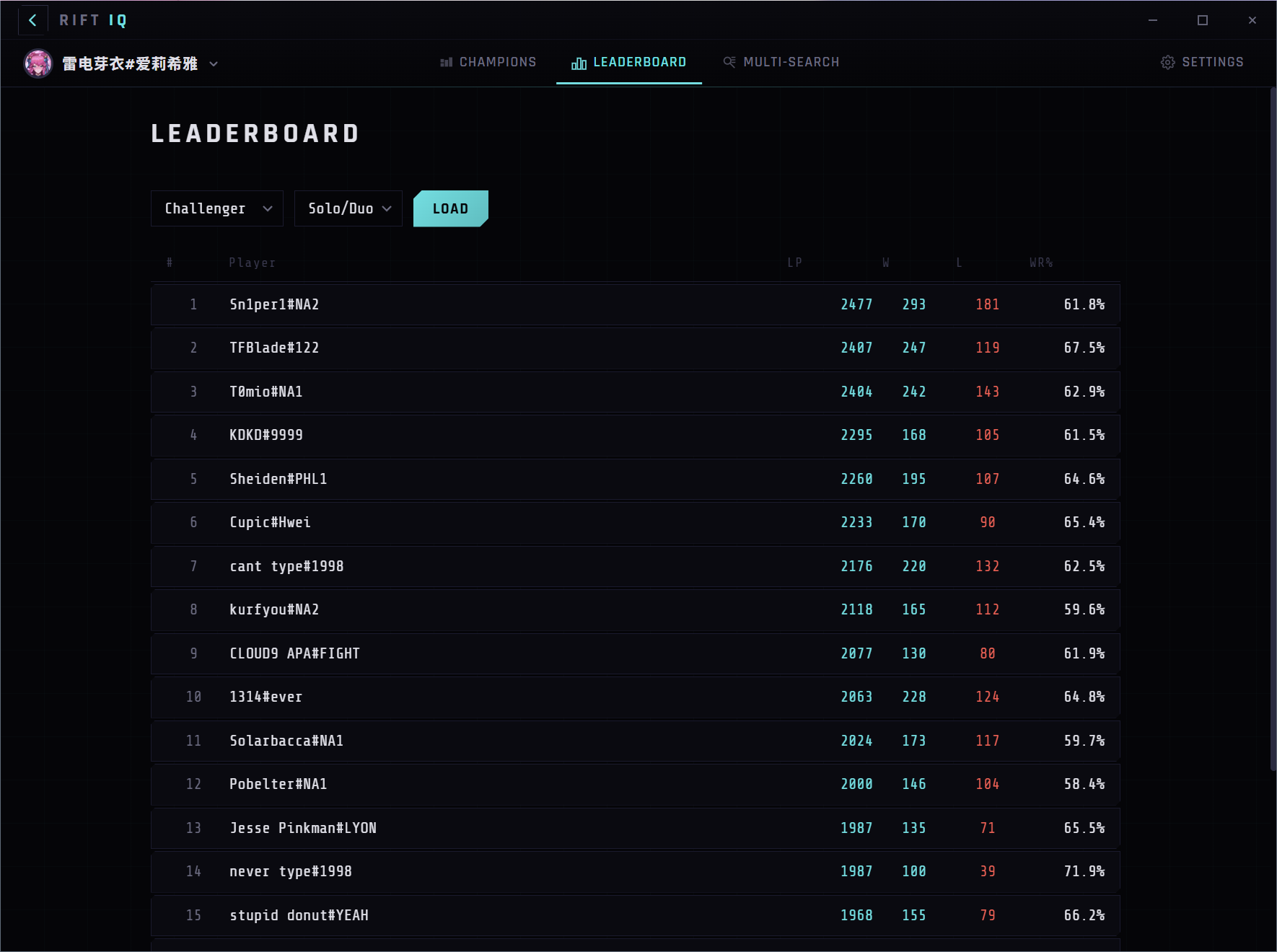
Browse Challenger, Grandmaster, and Master leaderboards with paginated infinite scroll. Click any player to instantly view their full profile and match history.
Live Game Detection
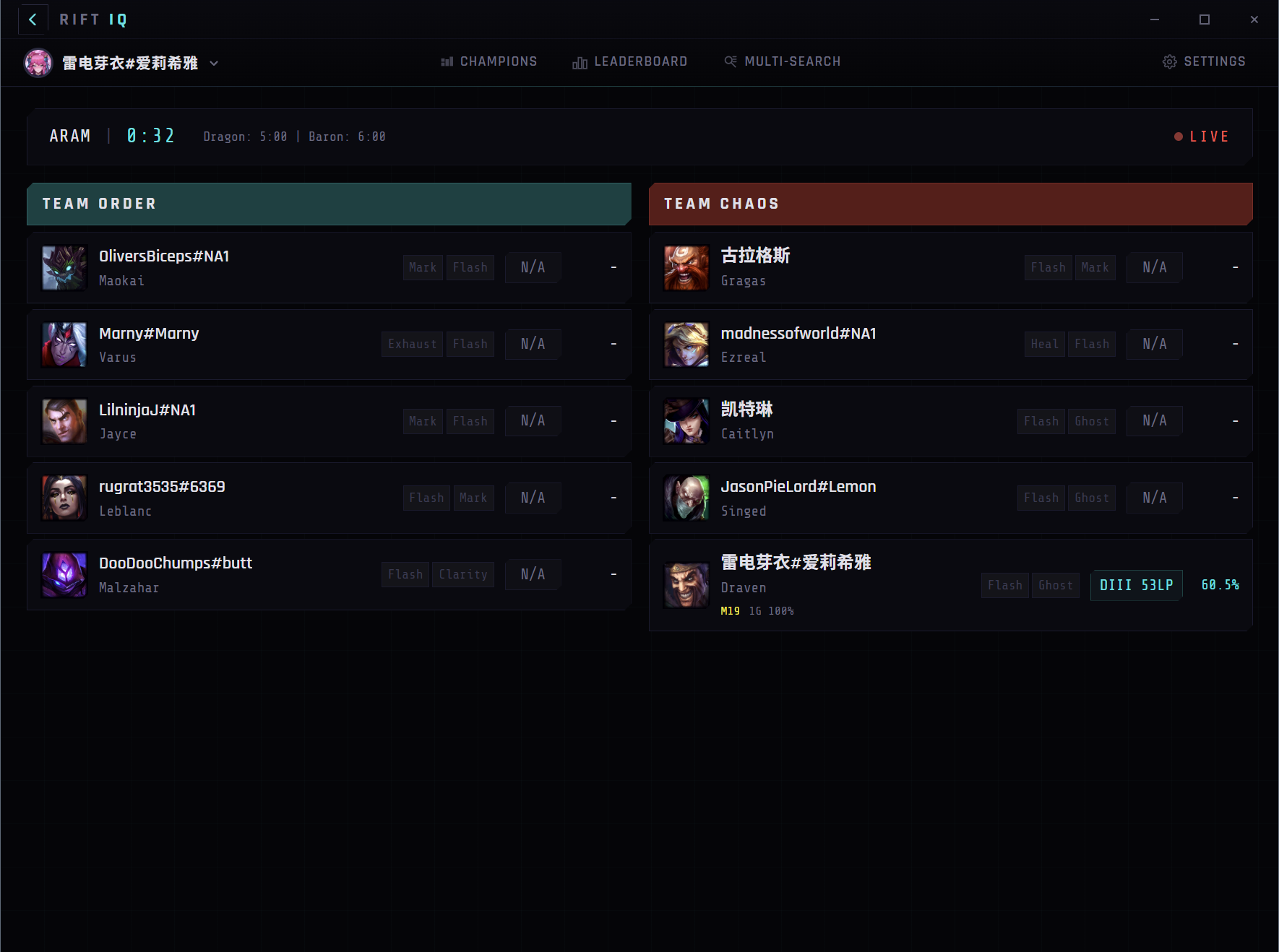
Automatically detects active games via Game Client API, LCU gameflow, and Spectator API. Shows enemy champions, spells, and ranks in real time.
Post-Game Analysis
Automatic MVP/SVP badges and 1-10 rankings after each game. Role-adjusted OP Score uses KDA, damage share, CS, vision, and gold — fair for every position including support.
Match History & Analysis
Browse recent matches with KDA, damage, CS, and vision scores. Infinite scroll through your full game history with detailed per-match breakdowns including damage charts, early game stats, and timeline.
Auto League Client Detection
Detects the running League Client and auto-identifies the logged-in summoner. No manual entry needed — just launch and play.
Multi-Search & Champion Select
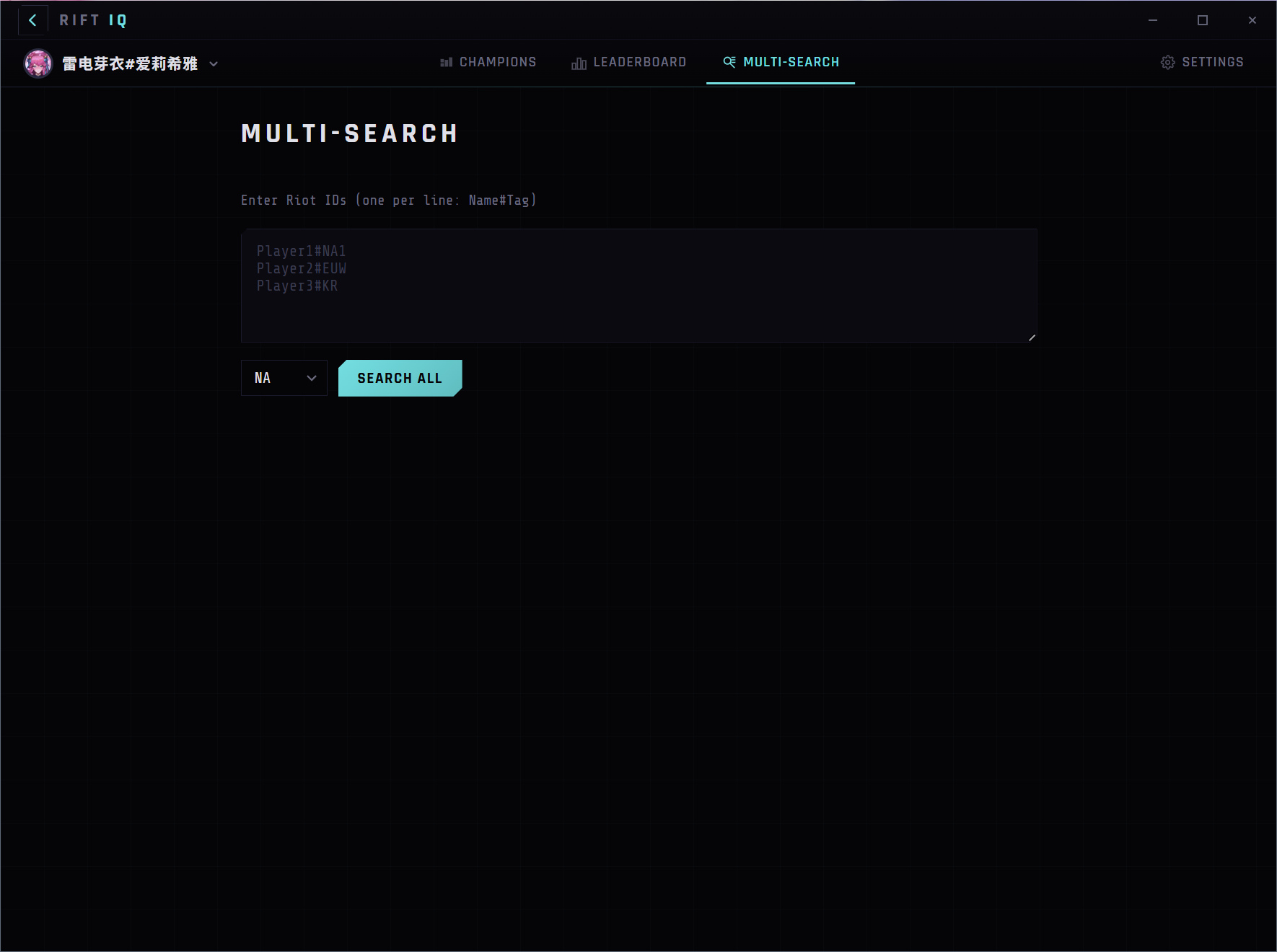
Paste your lobby to look up all players at once. Auto-detects champion select to show teammate and opponent stats before the game starts.
// WHY RIFT IQ
THE FREE ALTERNATIVE TO BLITZ, OP.GG & POROFESSOR
Most League of Legends stat tools are either web-only, bloated with ads, or lock the best features behind a paywall. Rift IQ gives you everything in a lightweight, free desktop app.
| FEATURE | Rift IQ | Blitz | OP.GG | Porofessor |
|---|---|---|---|---|
| Summoner Lookup & Stats | ||||
| Live Game Detection | ||||
| Leaderboard Browsing | ||||
| Post-Game OP Score & MVP | Web only | |||
| 7-Tab Match Analysis | ||||
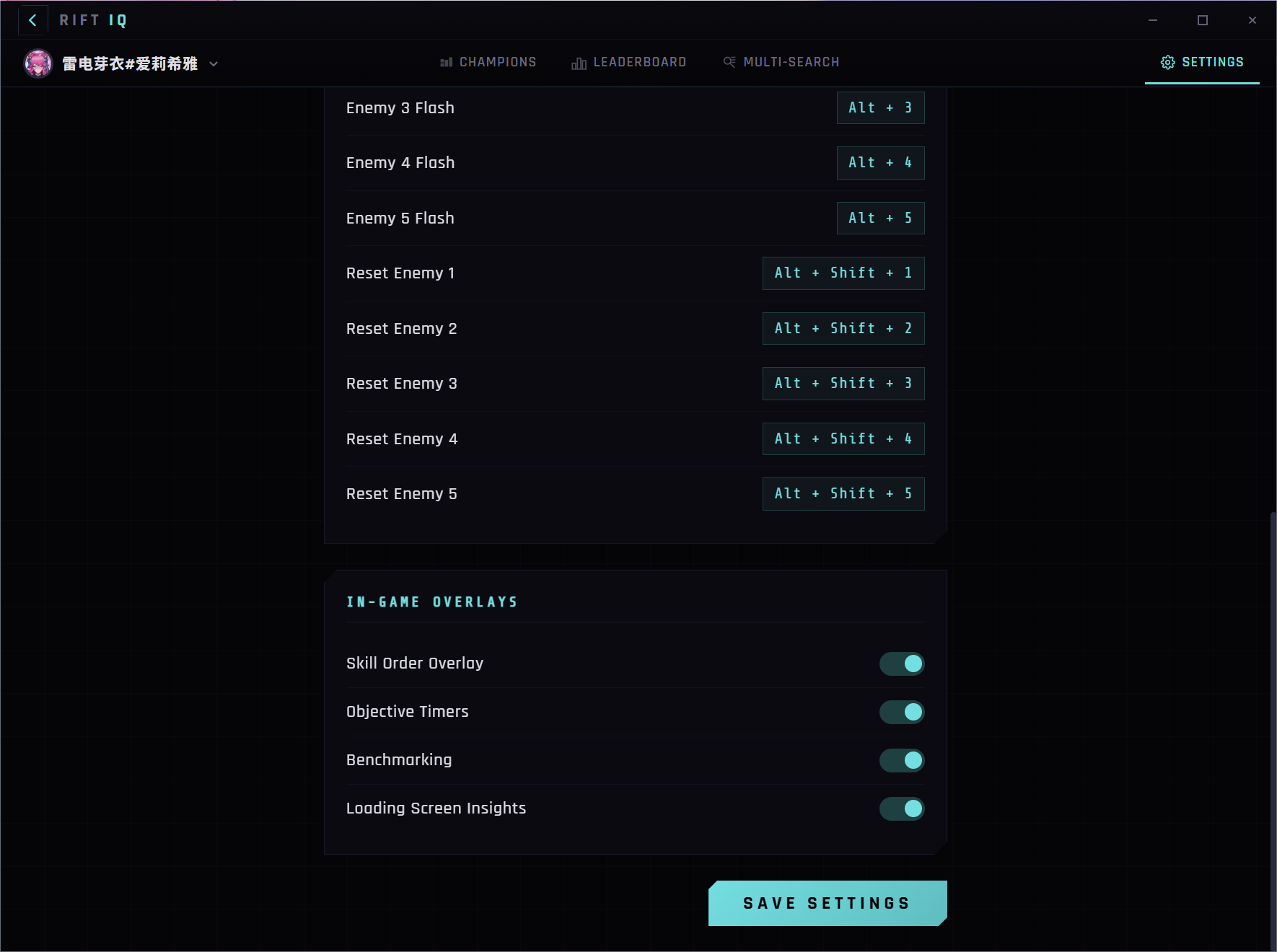
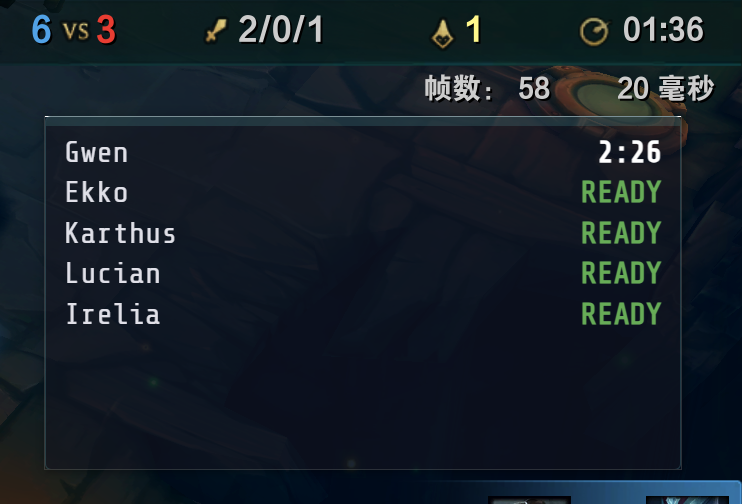
| Flash Timer Overlay | ||||
| Multi-Search Lobby Lookup | Web only | |||
| Auto Champion Select | ||||
| Export Data (JSON/CSV) | ||||
| 100% Free, No Ads |
Comparison based on free-tier features as of February 2026. All product names are trademarks of their respective owners.
// SETUP
UP AND RUNNING IN SECONDS
Install Rift IQ
Download the Windows MSI installer and run it. The app is lightweight with no external dependencies.
Launch League of Legends
Open the League Client as usual. Rift IQ automatically detects the client and identifies your logged-in account.
Analyze & Climb
Browse leaderboards, review post-game performance with MVP/SVP rankings, and track your match history — all in one place.
// FAQ
FREQUENTLY ASKED QUESTIONS
READY TO CLIMB?
Download Rift IQ and gain the edge you need. Browse leaderboards, analyze your matches with role-adjusted OP Scores, and review post-game performance rankings.
DOWNLOAD v0.13.9